Inside the project Operion
Industrial automation / SCADA
A complex plant. An interface that makes sense of it.
From technical documents to process screens: the Operion journey through SCADA design, process variables and a local runtime.
Let’s talk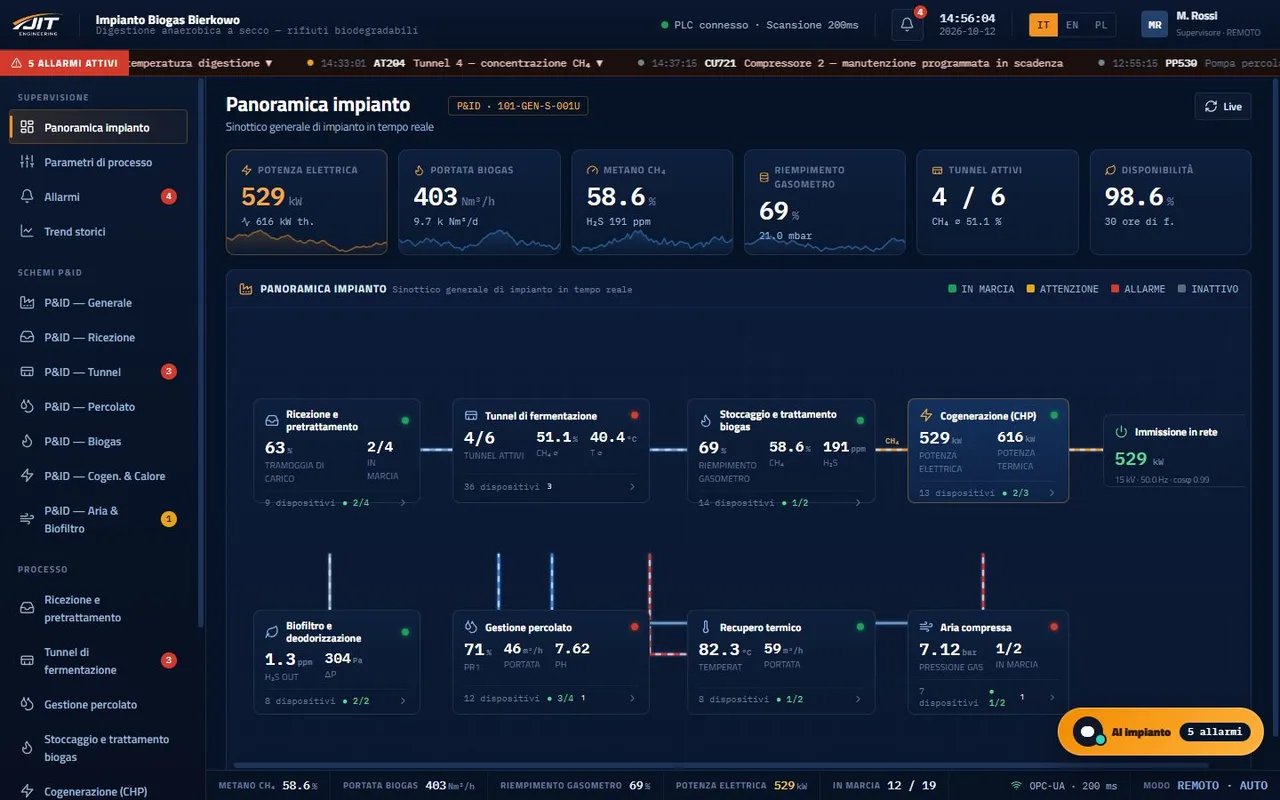
- JIT Engineering
- SCADA design
- Status and scope
- Studio · private pilot
01 / Operion
The problem I start with
A process screen is useful when it helps people understand what is happening and where to act. Behind it are specifications, signals, alarms and revisions. When those become disconnected, even a tidy interface becomes hard to maintain. Operion starts by keeping them connected.
My contribution
As the founder and technical lead of JIT Engineering, I guide the architecture, priorities and direction of the project. With Operion, I focus on the transition between what is designed and what the operator sees on the plant floor: graphics, tags and documentation need to describe the same plant.
02 / Operion
The decisions that shape the project
Start with the context
Studio brings specifications, diagrams and images into the interface design workflow. Documentation becomes part of the project rather than a separate collection of attachments.
Connect graphics and variables
HTML/CSS graphics, tag bindings and revisions share the same design environment. Importing is intended for compatible projects, with a path towards the runtime.
Stay close to the process
The runtime is a separate component running on the plant PC. Its technical presentation covers process screens, commands, alarms and trends; activating changes requires the operator’s confirmation.
The journey in four steps
- DocumentsSpecifications, diagrams and images
- StudioScreens, tags and revisions
- RuntimeExecution on the plant PC
- OperatorProcess understanding and confirmations
03 / Operion
What takes shape
The work takes shape in Operion Studio, currently a private pilot, and in the runtime presented separately in the Sapius ecosystem. The runtime describes S7, Modbus TCP, OPC UA and EtherNet/IP connections. The Bierkowo demo offers a simulated supervision environment in the browser, covering fermentation, leachate, biogas and cogeneration.
Explore the simulated demo (new tab)Status and scope
Studio and runtime have separate availability. Studio’s generative and voice features are described as not yet active. The demo is a simulation, not a connection to a real plant or evidence of driver testing on hardware.
Editorial status checked against the official pages on 12 October 2026.
Project references
Operion Let’s talk
Working on a similar problem?
Tell me about the context and what you would like to improve. We can start there.
Let’s discuss a similar solution