From PLCs to artificial intelligence

I connect
machines, ideas
and people.

I’m Giacomo Rossi. I program industrial automation systems and build software. From PLCs to AI agents, I start with a real problem and look for a way to solve it.

Giacomo Rossi by the waterfront at sunset
Curiosity points the way.
Giacomo Rossi sitting at an outdoor café table with a coffee
Another perspective.
PLC & SCADA · Software · Applied AIFrom ideas to projects

From a problem to a solution

A signal. A decision. An action.

This is where software meets the physical world. Change the tank level and follow what happens next.

Interactive simulationEducational example · No equipment connected
42%70% threshold

Move the slider. The activation threshold is 70%.

Allows the PLC to start the pump when the level is high.

  1. 01

    Sensor

    Measures the level and turns it into a signal.

    42%
  2. 02

    PLC logic

    Checks the signal against the threshold and the control permission.

    Level ≥ 70%FalseControl enabled
  3. 03

    SCADA supervision

    Makes the process status visible.

    Normal level
  4. 04

    Action

    Controls the drainage pump.

    Pump stopped

The level is below the threshold: the PLC keeps the pump off and SCADA shows a normal status.

My job is to make this chain clear, reliable and useful to the people who use it.

01 / A little about me
Giacomo Rossi walking through the streets of a small town
Ideas can come while taking a walk, too.

Where I start

Technology is the means.
People give it meaning.

I’m interested in that moment when a problem becomes clear and a solution starts to take shape.

My work began in industrial automation: PLCs, SCADA, drives and systems that need to work together. It taught me to think precisely and test my ideas against reality.

I founded JIT Engineering, where I lead project architecture and technical direction. Through NeuraSolutions, its software and AI brand, that work now reaches other settings too: businesses, professionals, communication and education.

The tools change, but the thread stays the same: understand a need and build something that is truly useful.

How I work

02 / What I do

From machines
to new possibilities.

Three fields that come together in my work.
One way of approaching problems.

01

Industrial automation

This is where I started. I program control systems and work on the connections between machines, plants and people.

  • PLC
  • SCADA
  • Drives
02

Software and integration

I connect components and information. I build software and interfaces that make systems easier to understand and use.

  • Software
  • Interfaces
  • Systems
03

Artificial intelligence

I explore AI through a concrete need: making a task simpler, getting more from data or creating a useful tool.

  • Applied AI
  • Assistants
  • Prototypes

03 / My workshop

Ideas that become
real projects.

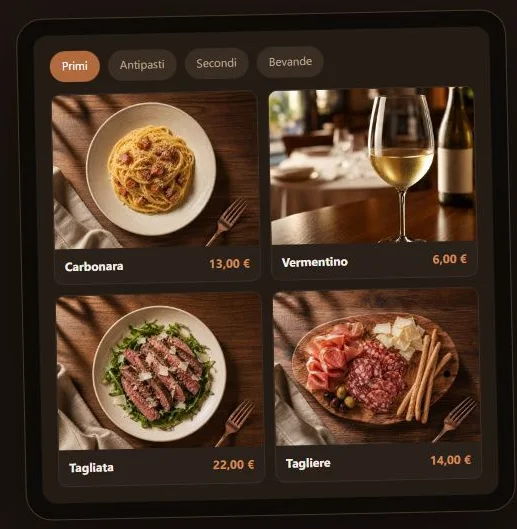
From PLC code to an AI receptionist, from running a restaurant to studying: different problems, approached with the same care for how people work.

01 / Industry and integration

JIT Engineering

The company I founded to work on PLCs, HMIs, SCADA, revamping and commissioning. Recurring engineering challenges lead to tools for designing, checking and supporting plants.

Visit JIT Engineering (opens in a new tab)

02 / Software and applied AI

NeuraSolutions

The JIT Engineering brand through which I bring software and AI agents into everyday processes: responding to enquiries, consulting documents, coordinating tasks and connecting people with information.

Visit NeuraSolutions (opens in a new tab)

Inside my projects

Products, platforms and work in development. Each card tells its own story.

06 of 14 projects
01 / PLC / HMI engineeringWindows software

JIT Engineering

Sapius

AI within an automation project: from technical documents to writing and checking PLC code.

  • TIA Portal
  • SCL
  • Project documents
Inside the project Sapius

With Sapius, I bring manuals, signal lists, source code and project decisions into one environment. I want to ease the repetitive parts of engineering while keeping the engineer in charge of verification.

How it takes shape

  • For TIA Portal V16–V20, it uses Openness to prepare SCL blocks, DBs and UDTs, import them into a copy of the project, compile and address the errors found.
  • It consults the project’s PDFs, Word documents and Excel sheets, keeping files, references and decisions in the same context.
  • It provides workflows for other PLC and HMI environments, including Rockwell, CODESYS and TwinCAT, depending on the manufacturer’s tools available on the PC.

The manufacturers’ software and licences are still required. Testing and downloading to the PLC remain the engineer’s responsibility; Sapius Local is presented separately as a preview.

Explore Sapius: Sapius (new tab)
02 / SCADA designStudio · private pilot

JIT Engineering

Operion

A workflow from process graphics to runtime on the plant PC, with tags, alarms and revisions.

  • SCADA
  • Process graphics
  • Local runtime
Inside the project Operion

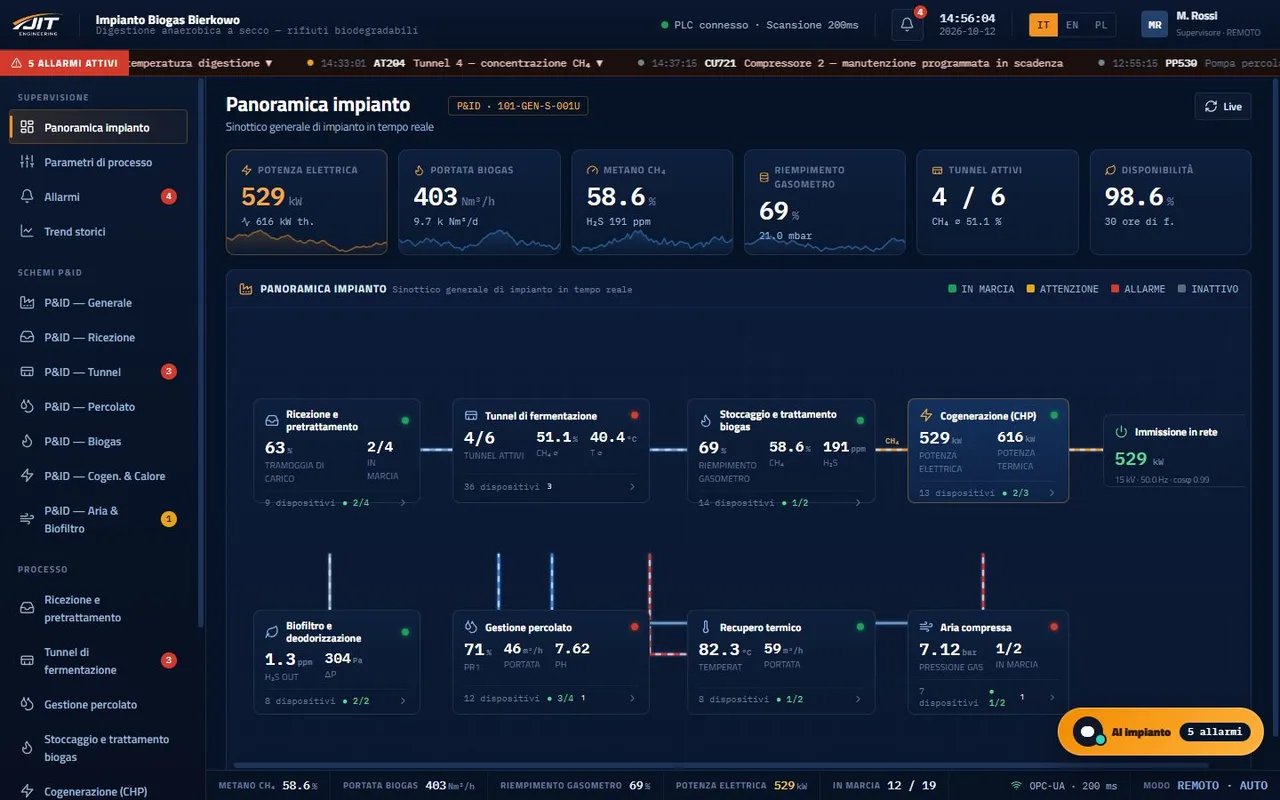
With Operion, I work on the connection between what is designed and what an operator uses on the shop floor. Documentation, interfaces and process variables need to stay consistent as the project changes.

The development path

  • Studio brings together specifications, diagrams and images. It supports work on HTML/CSS graphics, tag associations and revisions, with imports from compatible projects.
  • The runtime presented in the Sapius ecosystem handles process graphics, commands, alarms and trends through S7, Modbus TCP, OPC UA and EtherNet/IP connections.
  • Running on the plant PC keeps the connection to the process local; activating changes requires the operator’s confirmation.

Studio is limited to the private pilot. Generative and voice features are described as not yet active; the runtime is a separate component.

Discover Operion Studio: Operion (new tab)
03 / Electrical designWindows software

JIT Engineering

Electrion

A workspace for keeping requirements, components, connections and electrical drawings aligned with the help of AI.

  • Electrical model
  • A3 drawings
  • Checks
Inside the project Electrion

Electrion starts with a question of consistency: a schematic and its documentation must describe the same project. Version V2 connects a common electrical model to the AI agent’s work and the production of deliverables.

How it takes shape

  • It organises devices, pins, networks, wires and terminals alongside the project’s requirements and assumptions.
  • It highlights incomplete references, connections to check and missing information, using an agent configured with the designer’s account.
  • It generates A3 SVG drawings with title blocks and references, a JSON model and CSV logs from the same revision; PDFs are produced through browser printing.

The deliverables are drafts for review: automated checks support the designer’s judgement.

Explore Electrion: Electrion (new tab)
04 / Remote supportAvailable for Windows

JIT Engineering

Teleion

Remote desktop, a technical address book and industrial VPN in one support environment.

  • Remote desktop
  • WireGuard
  • Plant address book
Inside the project Teleion

Teleion addresses a need I know from the field: reaching a machine and quickly recovering the context of its connection. The project combines remote access, device organisation and a record of sessions.

How it takes shape

  • A Windows application for providing and receiving support, with monitor management, input, clipboard and reconnection.
  • An address book for customers, sites and workstations, with notes and tags; WireGuard VPN access follows the configured permissions.
  • File transfers and session history, with visible consent on the remote workstation and dedicated policies for unattended access.

The Windows version is available. Android, Linux and Raspberry Pi versions are presented as previews.

Explore Teleion: Teleion (new tab)
05 / AI receptionistDemo on request

NeuraSolutions

NeuraDesk

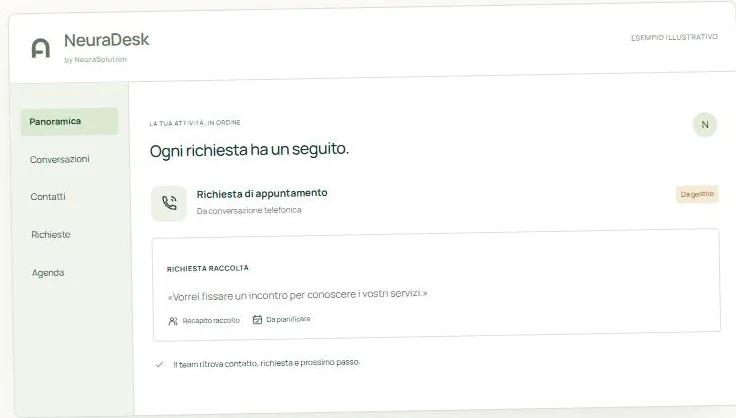
An AI receptionist that takes incoming calls and turns a conversation into a request to follow up.

  • Telephony
  • Requests
  • AI Reception
Inside the project NeuraDesk

With NeuraDesk, I bring AI to a business’s first point of contact. The aim is to give a useful answer, gather the information needed and give people a clear next step, even when they cannot answer immediately.

How it takes shape

  • It answers incoming calls using the business’s information, such as opening hours and services, and collects contact details and requests.
  • It sends email or Telegram notifications. Advanced plans include history and CRM, calendars, appointments and preparation of requests to hand over to the team.
  • The AI Reception extension brings a voice avatar to countertop or freestanding kiosks and connects requests to the same management system.

Features and integrations depend on the plan and configuration; reception hardware is separate.

Discover NeuraDesk: NeuraDesk (new tab)
06 / Agents and integrationsFramework

NeuraSolutions

NEURA Core

The structure for designing AI agents connected to tools, data and business processes.

  • AI agents
  • Memory
  • Interoperability
Inside the project NEURA Core

With NEURA Core, I address what an assistant needs behind the scenes: context, tools, memory and control. It is the framework presented in the Neura ecosystem for organising these elements and managing workflows involving multiple agents.

How it takes shape

  • Agent definitions, tool configuration, memory management and events to coordinate activities.
  • Integration with CRM, ERP and document management systems, alongside search across business data and knowledge.
  • An architecture designed around access control, auditing and observability; the website presents standards such as MCP, A2A and REST/GraphQL APIs.

The official page describes the framework and its architecture; it does not announce a standalone public release.

Explore the NEURA ecosystem: NEURA Core (new tab)

04 / How I work

Understand first.
Then, build.

I don’t start with the technology.
I start with the right questions.

  1. 01

    I listen and observe

    I try to understand the context, the people involved and what they really need.

  2. 02

    I find the focus

    I separate the problem from its consequences and choose a practical way forward.

  3. 03

    I build and test

    I turn the idea into a prototype, put it to the test and observe how it behaves.

  4. 04

    I improve in practice

    I use what happens in the real world to refine, simplify and develop the solution.

05 / Let’s stay in touch

Have a problem to solve?
Let’s start a conversation.

A project to build, a collaboration to explore
or simply a good question. I’d be glad to hear from you.

It starts with a good question

Tell me about your idea.

A plant to improve, software to build or an idea that still needs a little focus. Tell me where you’re starting and what you’d like to achieve: we can begin there.

Prefer email? Write to me directly.

A message, straight to me

Where shall we start?

Write to Giacomo Rossi

20 to 5,000 characters. A few lines are enough to get started.

I use these details to read your enquiry and reply. You won’t be subscribed to a newsletter.